Data Center Technician
Data Center Technician
Career Overview
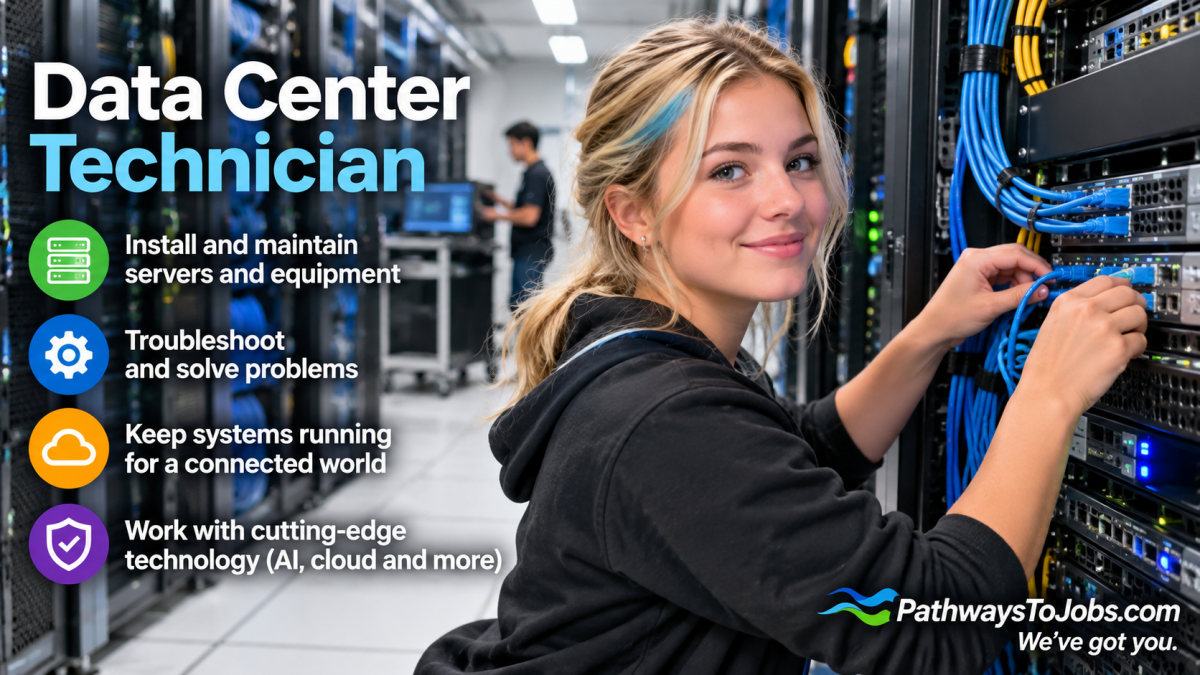
Emerging career: Data Center Technicians install, maintain and troubleshoot the physical technology that keeps cloud computing, AI and online services running. They work with servers, storage equipment, network hardware and fibre-optic cabling, and may also help monitor power and cooling systems. They replace faulty equipment, respond to alerts and help keep data centers secure and operating. Programs being introduced specifically for data-center work combine IT, networking and facilities technology.
Education
A college diploma, certificate, or associate degree in computer systems, network administration, information technology, engineering technology, or data center operations is a common route. A four-year university degree is usually not required for entry-level technician work. Industry certifications in networking, hardware, Linux, fibre optics or data-center systems can also help.
Work Environment
Data Center Technicians usually work inside secure data centers filled with servers and networking equipment. The environment is highly controlled and may be cool and noisy because of cooling systems and equipment. Technicians may spend time standing, walking between equipment racks, installing hardware and cables and working with other IT and facilities specialists. Because data centers operate 24/7, some jobs include evening, weekend, overnight or on-call shifts.
Future Outlook
Growing. AI, cloud computing and digital services are increasing the need for data-center infrastructure and workers who can install and maintain it. Demand can vary by region, and the broader computer-network-support occupation is growing more slowly nationally, but colleges are creating dedicated data-center programs in response to employer demand.
Recommended High School Courses
- Electronics
- Physics
- English
- Mathematics
- Technology
- Computer Science
- Communicatiion - Sharing ideas clearly and understanding what others need from an AI system.
- Documentation - Recording prompts, processes, results, and instructions so they can be understood and used again.
- Equipment Maintenance - Performing routine maintenance on equipment and determining when and what kind of maintenance is needed.
- Fiber Optic Cabling -
- Hardware Installation and Repair -
- Network Cabling -
- Problem Solving - Using logical and creative thinking to find solutions to challenges.
- Repairing - Repairing machines or systems using the needed tools.
- Safety Procedures -
- Systems Monitoring -
- Teamwork - Working cooperatively with others toward a shared goal, contributing individual strengths while supporting colleagues to achieve collective success.
- Time Management - Managing one's own time and the time of others.
- Time Management -
- Trouble Shooting - Finding and fixing problems when an AI tool, prompt, or process doesn't work as expected.
- Troubleshooting - Determining causes of operating errors and deciding what to do about it.
- Cloud Computing Basics: - Understand how data, applications, and services are stored and accessed through remote servers and cloud platforms.
- Computer Networks - Understand how computers, servers, switches, and other devices connect and communicate so data can move reliably through a network.
- Computer Systems - Understanding how computer hardware, software, and networks work together to run AI tools.
- Cooling Systems - Understand how cooling equipment controls temperature and airflow to keep servers and other data center equipment from overheating.
- Cyber Security - Understand basic ways to protect servers, networks, and data from unauthorized access, malware, and other security threats.
- Cybersecurity - Knowledge of how to protect computer systems, networks, and data from unauthorized access, attacks, and damage.
- Data Center Operations - Understand how data centers are organized and monitored to keep servers, networks, power, cooling, and security systems running reliably.
- Electrical and Power Systems - Understand how power is supplied and distributed to data center equipment, including basic backup and safety systems.
- Equipment Safety - Understand safe procedures for handling, installing, and working around servers, electrical equipment, cables, and other data center systems.
- Fiber Optic and Copper Cabling - Understand how data travels through fiber and copper cables, and how to install, connect, test, and troubleshoot them.
- Linux and Operating Systems - Understand how operating systems manage servers and hardware, and how to perform basic setup, updates, and troubleshooting.
- Servers and computer hardware - Understand how servers, storage devices, processors, memory, power supplies, and other computer components work together, and how to install, replace, maintain, and troubleshoot them in a data center.
- Switches and Routers - Understand how switches and routers direct data between devices and networks, and how to identify basic connection problems.
- Analyze System Alerts - Able to review system warnings and alerts, recognize what they mean, and determine when action is needed.
- Follow Detailed Procedures - Able to follow step-by-step instructions carefully when installing, maintaining, or repairing data center equipment.
- Identify Risk - Spot potential threats, vulnerabilities, or negative consequences in AI systems, processes, or decisions before they cause harm.
- Identifying Technical Problems: - Able to recognize when equipment or systems are not working properly and determine the likely cause.
- Learn New Technology - Able to quickly learn and adapt to new hardware, software, systems, and tools used in a data center.
- Organize Several Tasks - Able to manage multiple responsibilities, set priorities, and complete tasks in the right order.
- Work accurately with hardware - Able to handle, install, connect, and replace computer equipment carefully and correctly.
- Work Independently and With A Technical Team - Able to complete tasks on your own while also communicating and working effectively with other technical staff.
- Install and replace servers and network equipment;
- connect and organize cablesmonitor equipment and system alerts
- troubleshoot hardware and network problems
- test connections;
- monitor power and cooling systems;
- document repairs and equipment changes
- help maintain secure access to data-center equipment.


Related Careers

References
Bureau of Labor Statistics (BLS) – Occupational Employment and Wage Statistics